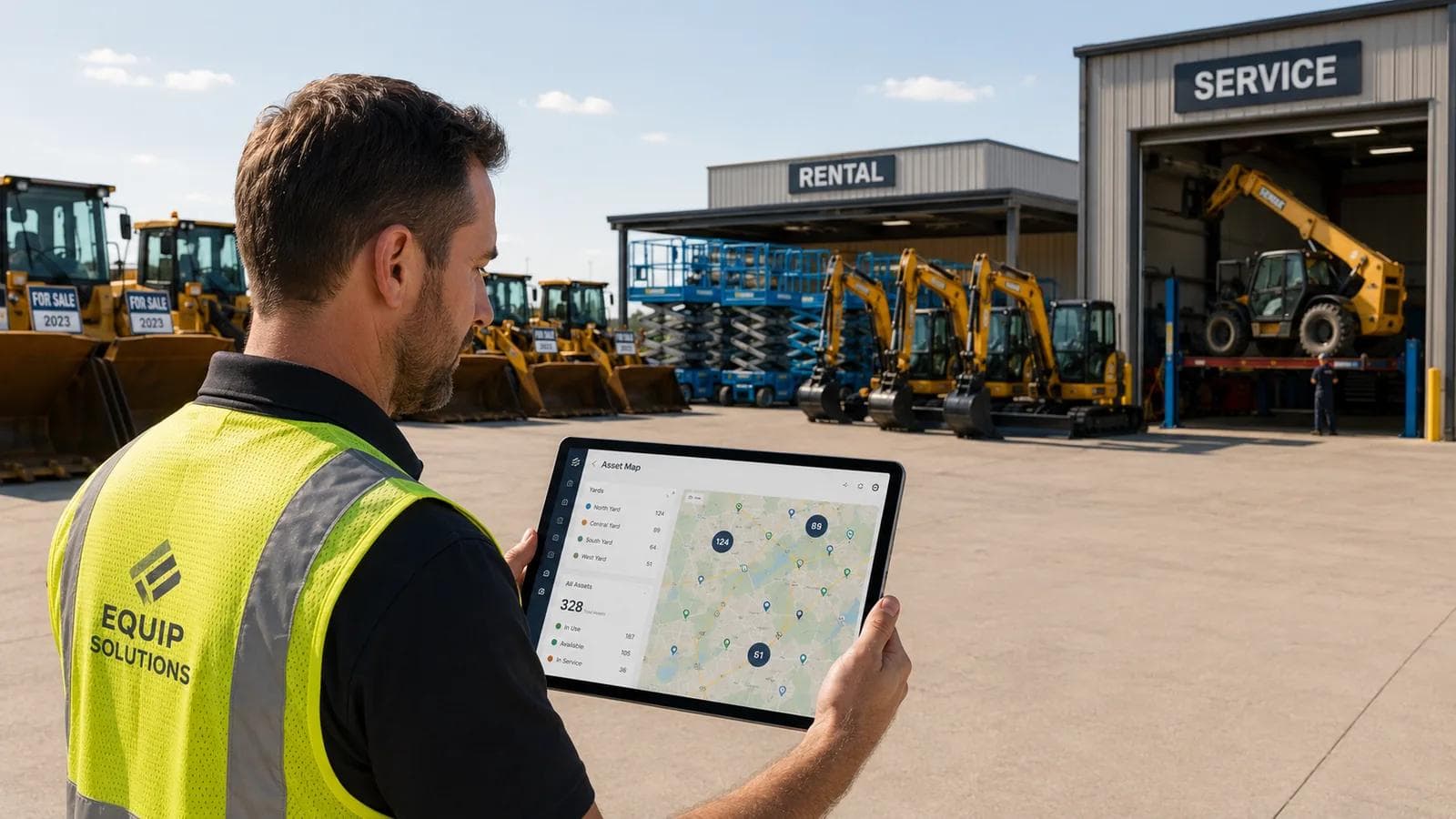
The operating model behind multi-yard equipment tracking at a dealer network is simpler than most vendors make it sound: stop tracking yards, start tracking assets. A dealer that sells, rents, and services equipment is managing one population of machines that move between three commercial states — for sale, on rent, in service — across five, ten, or twenty locations. The networks that get this right don't buy a system per site or pay a license per yard. They put a tracker on the asset, make location and status a property of that asset, and run one live map. That's the playbook below.
Key Takeaways
- The core problem: One unit moves between three commercial states — sold, rented, serviced — and across 5+ yards. Most software tracks only one slice of that life cycle.
- The model that scales: Treat location and status as properties of the asset, not the yard. Add a yard and the data model doesn't change — the new units just report a new location.
- The pricing wedge: Hapn charges per asset, not per site. A dealer running 6 yards and 1,400 units pays for 1,400 units — the bill doesn't multiply with every new location.
- Indoor and covered yards: Hapn Sites uses BLE beacons for indoor/covered-storage visibility with no WiFi build-out and no per-site license.
- Integration, not replacement: Hapn's open API feeds telematics into the dealer or rental system you already run. Live in days, not quarters.
One asset, three commercial states, five-plus yards
Walk a dealer-network yard and the problem is obvious. A telehandler is for-sale inventory on one lot; it doesn't sell that quarter, so it's cycled into the rental fleet; between rentals it goes into the service bay for a hydraulic repair; six months later it's sold and financed, living at a customer's site. Same serial number, four commercial states, three or four locations — and in most operations, three or four systems each claiming partial custody of it.
Call it the Hugg & Hall pattern: a dealer that sells, rents, and services equipment across multiple locations. The sales system knows the unit as inventory, the rental system as a rentable asset, the service department as a work order — and none agree on where it physically is or follow it when it changes hats. The result is the friction every multi-yard operator knows: a salesperson promising a machine that's out on rent, a coordinator hunting for a unit buried in service, an audit that can't reconcile the asset list to the ground.
The instinct is to fix this by buying more software per location. Wrong move — it gets more expensive every time you open a yard. You don't have a yard-visibility problem; you have an asset-visibility problem that happens to span yards.
The operating model dealer networks actually implement
The networks that solve this run equipment rental tracking as an asset-first layer that sits underneath sales, rental, and service — not inside any one of them. Four design choices make it work.
1. Make location and status a property of the asset
Put a tracker on the machine and it reports where it is and what it's doing, regardless of commercial state. The unit carries its own location, rental status, engine hours, and movement history. When it moves from sales lot to rental line to service bay, nothing is re-keyed — the asset's record just updates. That's the inversion that makes a network manageable: the yard stops being the unit of organization, and the asset becomes it.
2. Run one live map across every yard
Once every unit reports against itself, you get a single map of the whole network — every yard, in-transit units, machines at customer sites, and the ones in the shop. A dispatcher can see idle inventory in another region and pull it instead of renting in. It's also where utilization benchmarking across the network goes from quarterly spreadsheet to live: which yards are starved, which sit on dead iron, where to rebalance.
3. Cover the indoor and covered yards with Sites
GPS handles the open yard and the road; it struggles inside a warehouse or covered storage bay, where high-value attachments and smaller units disappear. Hapn Sites closes that gap with BLE beacons that report zone-level presence indoors, with no WiFi to stand up at each location. Opening a new indoor space means mounting a few beacons, not negotiating a per-site license.
4. Feed the systems you already run through the API
A dealer network already runs a dealer or rental management system — Point of Rental, Quipli, Renterra, or an OEM DMS. The mistake is consolidating telematics into it, or replacing it with an all-in-one that's mediocre at everything. Hapn's open API lets that system stay the source of truth for contracts, customers, and inventory, while Hapn supplies the telematics layer it was never built to capture: live location, engine hours, geofence events, utilization.
Dealer-network asset visibility
Seeing and accounting for every asset across all of a dealer's locations — sales lots, rental yards, service bays, customer sites — from one view, independent of each unit's commercial state. It's an asset-level discipline, not a per-location one: visibility follows the machine as it moves and changes status, instead of siloing in separate systems by site or department. For the accountability side of this discipline — eliminating ghost assets, surviving lender and floor-plan audits, and building one source of truth across your DMS, rental, and service systems — see dealer-network asset visibility.
One map for every yard, every state, every unit
Per-asset pricing that doesn't multiply when you open a yard. No quotes, no per-site fees.
The pricing wedge: per-asset vs per-site across 5+ yards
Here's why dealer networks build an asset layer instead of buying visibility per location. Most dealer and rental management software licenses per site, which quietly punishes the thing a healthy network does — expand. Every new yard adds a license line whether or not your asset count grew to match.
Hapn inverts it: you pay per asset tracked, regardless of how many yards those assets sit in. A dealer running 6 yards and 1,400 units has a subscription sized to 1,400 units. Open a 7th and 8th yard and redistribute the same fleet, and it doesn't move — you added locations, not assets. Under per-site pricing, those two yards are two new license lines before a single machine is added. As yard count climbs ahead of asset count, the gap compounds.
| Capability | Asset-first (Hapn) | Per-site systems |
|---|---|---|
| Pricing basis | Per asset tracked, published rates | Per site / per location license |
| Cost of opening a yard | No change unless asset count grows | New license line per location |
| Unit of visibility | The asset, across all states and yards | The location or department |
| Indoor / covered coverage | Hapn Sites, no WiFi build-out | Often a per-site add-on or unsupported |
| Role with your DMS / rental system | Telematics layer via open API | Often tries to be the system of record |
| Time to live | Days, pre-provisioned | Project-managed rollout per site |
Per-asset vs per-site pricing
Two ways to license asset-visibility software. Per-asset pricing charges for each tracked unit, so the bill follows your fleet size. Per-site pricing charges for each physical yard, so the bill follows your geographic footprint. For a network whose locations grow faster than its unit count, per-asset is structurally cheaper and removes the penalty for opening a yard.
The five-step multi-yard playbook
The sequence that works in practice — and the order matters:
1. Tag the rental fleet first. Your rental units move the most, earn the most, and carry the highest loss risk. Track them before anything else — it's also where the data pays back fastest.
2. Define yards and zones, not site licenses. Set up each location as a geofenced yard, and add Hapn Sites for the indoor and covered areas inside them. You're building a map, not provisioning per-site software.
3. Wire the API to your management system. Connect Hapn to Point of Rental, Quipli, Renterra, or your OEM DMS so rental status and customer data live in one system and telematics flows in. Status changes update the asset record instead of requiring re-entry.
4. Extend to financed and customer-site units. Once a unit is sold and financed or placed on a long-term lease, keep it on the map. Per-asset pricing means a machine at a customer's site costs the same to track as one in your yard. C3 Rentals' story shows this pattern for a financing-adjacent operator with a distributed installed base.
5. Make the live map the daily source of truth. Dispatch, sales availability, and service intake should all read from the same network view. The payoff isn't the technology — it's that everyone is finally looking at the same map.
When per-site rental software is still enough
Be honest about where this isn't worth it. A single yard — or two close-together locations sharing one pool of equipment — may be fully covered by a per-site rental system; the per-asset advantage only compounds once you're spread across multiple yards with units changing state. And if your management system already has a telematics module covering your equipment mix and indoor storage, a second layer is redundant. But for the operator running 5+ yards where machines are sold, rented, and serviced — and where the next yard is always on the horizon — the asset-first model keeps visibility from fragmenting and keeps the software bill scaling with your fleet instead of your real estate. For a deeper side-by-side on asset platforms built for this buyer, see Hapn vs Tenna.
About the author
The Hapn team builds telematics for equipment rental businesses, multi-yard dealers, and equipment financing operators. We publish per-asset pricing, ship pre-provisioned hardware, and integrate with the rental management systems you already run.
Frequently asked questions
How do you track equipment across multiple yards in one system?
Put a tracker on each asset and make location and status a property of the asset rather than the yard. Every unit then reports its current yard, rental status, and movement history into one live map that spans every location, the service bay, and customer sites. You manage one population of machines across the network instead of a separate system per site — and adding a yard doesn't change the data model, the new units simply report a new location.
Does Hapn charge per yard or per location?
No. Hapn charges per asset tracked, regardless of how many yards your fleet sits in. A dealer with 6 locations and 1,400 units pays for 1,400 units; opening a 7th yard with the same fleet doesn't change the subscription. This is the main economic reason multi-yard networks choose an asset-first model over per-site rental or dealer management software, where each new location adds a license line.
Can Hapn track equipment that's for sale, on rent, and in service at the same time?
Yes. Because tracking is tied to the asset, not the commercial state, a unit stays on the map as it moves between sales inventory, the rental fleet, the service bay, and a financed customer site. The asset's record updates as its status changes — no re-keying into a different system each time a machine changes hats. That single-thread view across all three states is the point of an asset-first setup.
Does Hapn replace Point of Rental, Quipli, or Renterra?
No — Hapn complements them. Hapn's open API connects to the dealer or rental management system you already run, leaving it as the source of truth for rental contracts, customers, and inventory while Hapn supplies the telematics layer: live location, engine hours, geofence events, and utilization. Keeping the systems separate with a clean API connection preserves what each is good at.
How does Hapn handle equipment stored indoors or in covered yards?
Hapn Sites uses BLE beacons to report zone-level presence indoors and under cover, where GPS alone is unreliable — warehouses, parts buildings, and covered storage. It requires no WiFi infrastructure at each site. For a multi-yard operator, indoor coverage scales by mounting a few beacons per space instead of paying a per-site license to extend coverage.
See how Hapn compares for your network
Per-asset pricing across every yard. No setup fees, no per-site licensing.
Last Updated: May 26, 2026