HAPN FEATURES
Everything your mixed fleet needs.One connected platform.
Live GPS tracking, equipment telematics, AI dash cameras, a mobile app your field team will actually use, an AI assistant you can call or text, and a full REST API — in one platform, on every plan.
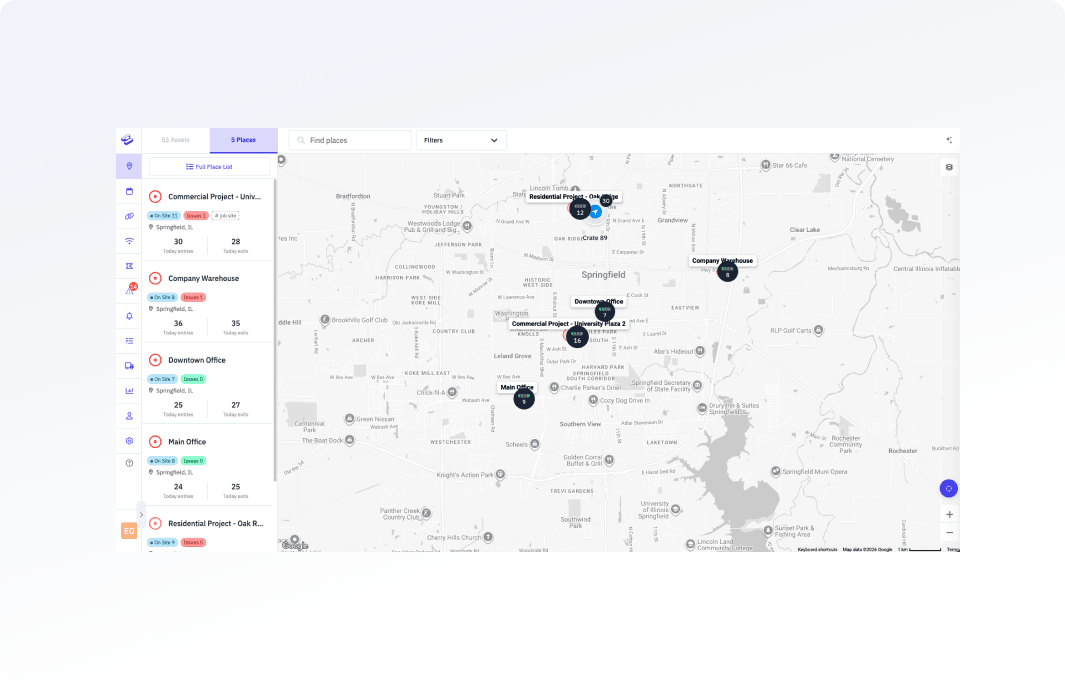
Live Fleet Tracking
See every asset on one map — vehicles, equipment, and trailers together.
If you’re switching between tabs to find your trucks in one system and your equipment in another, that’s a problem Hapn was designed to solve. Your entire mixed fleet — every vehicle, every machine, every trailer — on a single live map, updating in near real-time.
- Live GPS positions — Reporting intervals are configurable per device in the app and pushed to the tracker over the air
- Historical playback — Replay any asset’s full route over any date range with speed, stops, and time-at-location data
- Smart filters — Filter by asset type (vehicle, excavator, trailer), group, zone, status, or custom tags
- Satellite & street view — Toggle map layers including high-res satellite imagery for job site verification
- Asset detail panel — One click shows location, last event, battery level, speed, engine hours, and linked telematics
- Nearest asset search — Find the closest available unit to any address — critical for dispatching to job sites
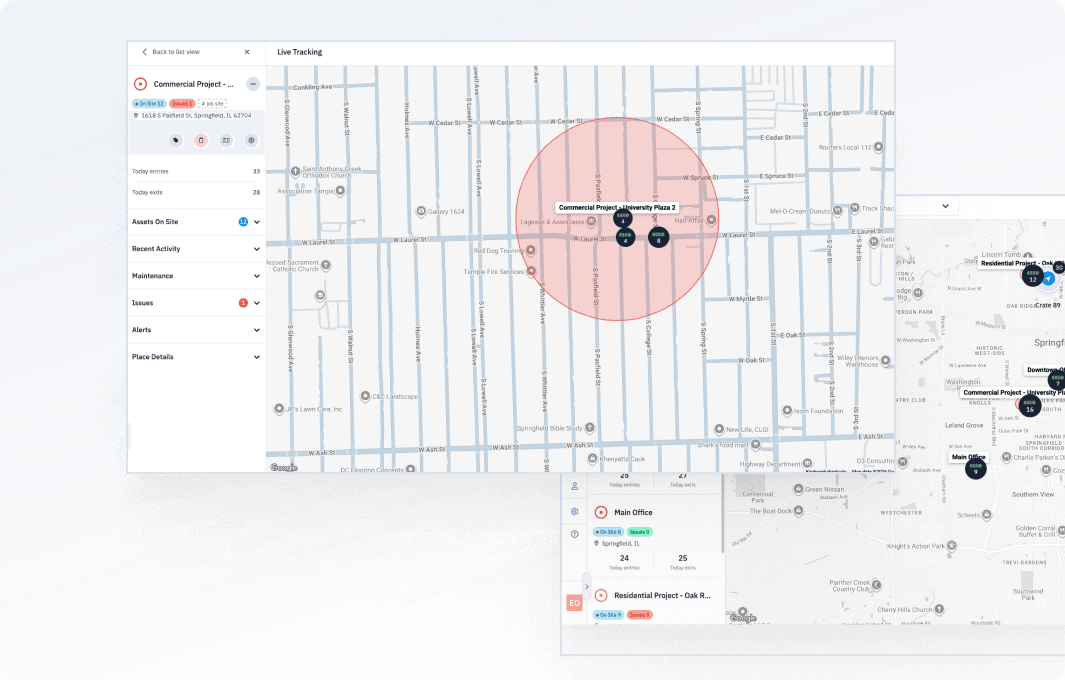
Alerts & Geofences
Stop theft, unauthorized use, and missed maintenance before they cost you.
A single stolen excavator can cost $80K–$300K. A missed DTC code can mean a $15K engine replacement. Set rules once and let Hapn watch 24/7 — alerting you the moment something happens, not the morning after.
- Polygon & radius geofences — Draw custom zones around job sites, yards, or customer locations on the map
- Entry / exit alerts — Instant notification when an asset arrives at or leaves a geofenced area
- Per-type speed thresholds — 65 mph for trucks, 25 mph for loaders, 10 mph for forklifts — one rule set per asset type
- After-hours movement detection — Flag unauthorized movement outside your defined operating windows
- Engine & DTC code alerts — Trigger on fault codes, engine-hour milestones, or service intervals
- Low battery warnings — Get alerted before a battery-powered tracker goes dark — not after
- Email, SMS, or push — Deliver alerts through the channel your team actually checks, per rule
Equipment Telematics & OEM Data
Get engine diagnostics, not just GPS dots — and bring OEM data into the same view.
If you’re logging into three different OEM portals just to check engine hours, that’s exactly the problem Hapn solves. We connect to your equipment’s CAN bus for engine hours, fault codes, fuel level, and utilization data. Plus, pull in telematics from Kubota, Takeuchi, and any AEMP 2.0-compliant manufacturer directly — no extra hardware needed on factory-equipped machines.
- Actual engine hours — CAN bus data, not GPS-estimated approximations that drift over time
- DTC fault code alerts — Read and alert on diagnostic trouble codes before a breakdown in the field
- Utilization tracking — Runtime vs. idle split by day, week, or month per machine — billable hours for rentals
- Fuel level monitoring — Track fuel consumption and levels where CAN bus data is available — spot theft and waste
- Kubota, Takeuchi & AEMP integration — Factory telematics feeds directly into your Hapn dashboard
- Engine-hour maintenance triggers — Auto-schedule service at actual hour milestones, not calendar guesses

AI Dash Cameras
Protect your drivers, your insurance rates, and your liability exposure.
One not-at-fault accident without exoneration footage can cost $50K–$150K. Road-facing and cabin-facing AI cameras detect safety events — harsh braking, distraction, drowsiness, phone use — in real time. Review clips in the same dashboard as your fleet data. No separate video portal.
- AI event detection — Harsh braking, rapid acceleration, distracted driving, drowsiness, phone use, smoking
- Dual-facing cameras — Road-facing for incidents and exoneration, cabin-facing for behavior coaching
- In-dashboard clip review — Watch, tag, and export clips without leaving Hapn — no separate video platform
- Per-driver safety scores — Composite scores tied to camera events and telematics data, exportable for insurance
- Live streaming on demand — View a live camera feed from any equipped vehicle when you need it
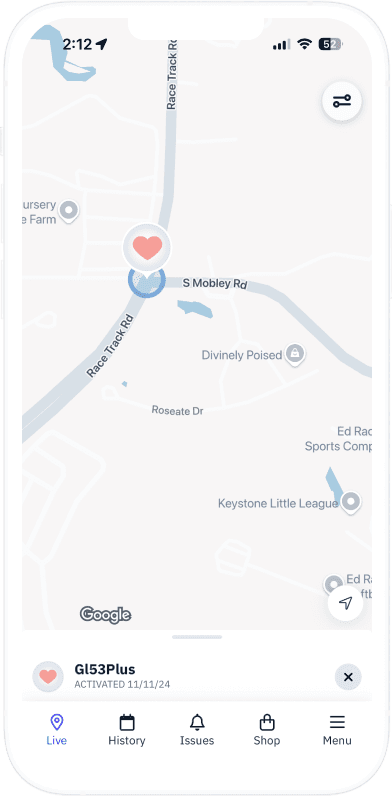
Fleet Mobile App
A real mobile app for field teams — not a stripped-down portal.
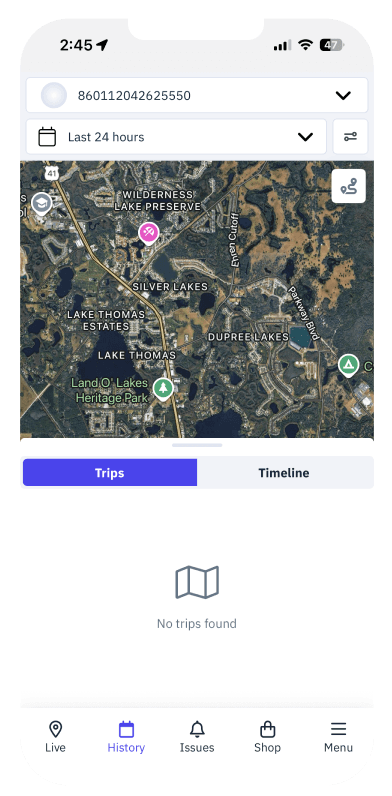
Your field supervisors aren’t at a desk. They’re walking job sites, checking in from the cab, verifying equipment on-site. The Hapn mobile app on iOS and Android gives them the full platform — live maps, asset lookup, alert management, dash cam clips, and field status updates. It works offline too.
- Full live fleet map — Same view as desktop, optimized for touch and mobile data connections
- Asset lookup by name or ID — Search any unit and see its current location, status, last event, and telematics
- Push alert delivery — Geofence, speed, movement, and battery alerts straight to your pocket
- Dash cam clip review — Watch and share safety event clips from the field
- Field status updates — Update asset status, add notes, or report issues on site
- Offline data access — Last-known positions and cached data available even without cell service
AI FLEET ASSISTANT
Get fleet answers by calling, texting, or WhatsApp — no app needed.
Hapn’s AI Fleet Assistant gives you a dedicated number that your entire team can query. Ask about any asset, any alert, or any status in plain English. It responds in seconds, authenticated to your account permissions.
- Call for a spoken answer — “Where is Unit 47?” — location and last movement in seconds
- Text or WhatsApp for a formatted reply — “Which trucks are idle?” — a list with details
- Ask in your own words — no commands to memorize, context-aware across your fleet
- Permission-locked to your account — tied to your Hapn roles and access controls
REST API & Integrations
Connect fleet data to your ERP, your BI tools, or your own apps.
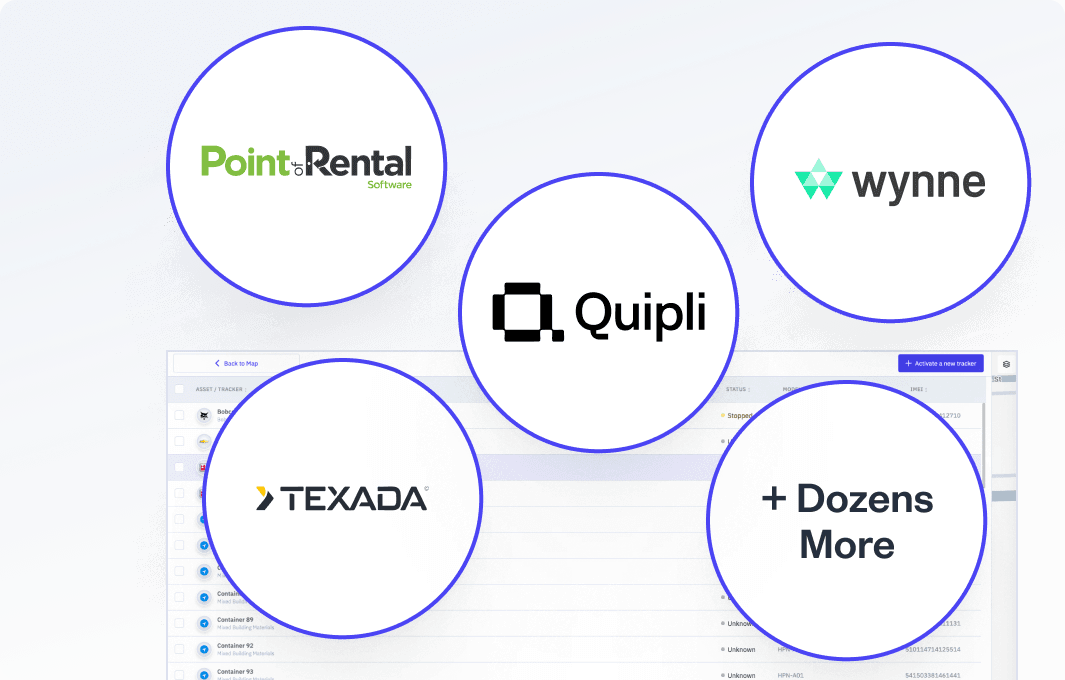
Hapn is built entirely on its own API. Every feature you see in the dashboard — every asset, alert, report, and data point — is available programmatically. Custom integrations, ERP connections, AEMP compliance feeds, and automated workflows are first-class capabilities, not afterthoughts.
- Full REST API — every endpoint documented at hapn.dev
- Webhooks — real-time event delivery for geofence triggers and status changes
- OEM data feeds — Kubota, Takeuchi, AEMP 2.0 integrations configured at onboarding
- ERP & business system connections — Sage, Viewpoint, Procore, custom operations stacks
- Custom integration projects — our team builds pipelines for specific needs
Administration & Security
Give every team member access — without giving up control.
Unlimited users, role-based permissions, and enterprise-grade security. No per-seat charges means your entire team gets visibility — supervisors, dispatchers, field operators, executives.
- Role-based access control — define what each role can see, edit, and act on
- Unlimited user accounts — no per-seat charges, ever. Everyone who needs it gets it.
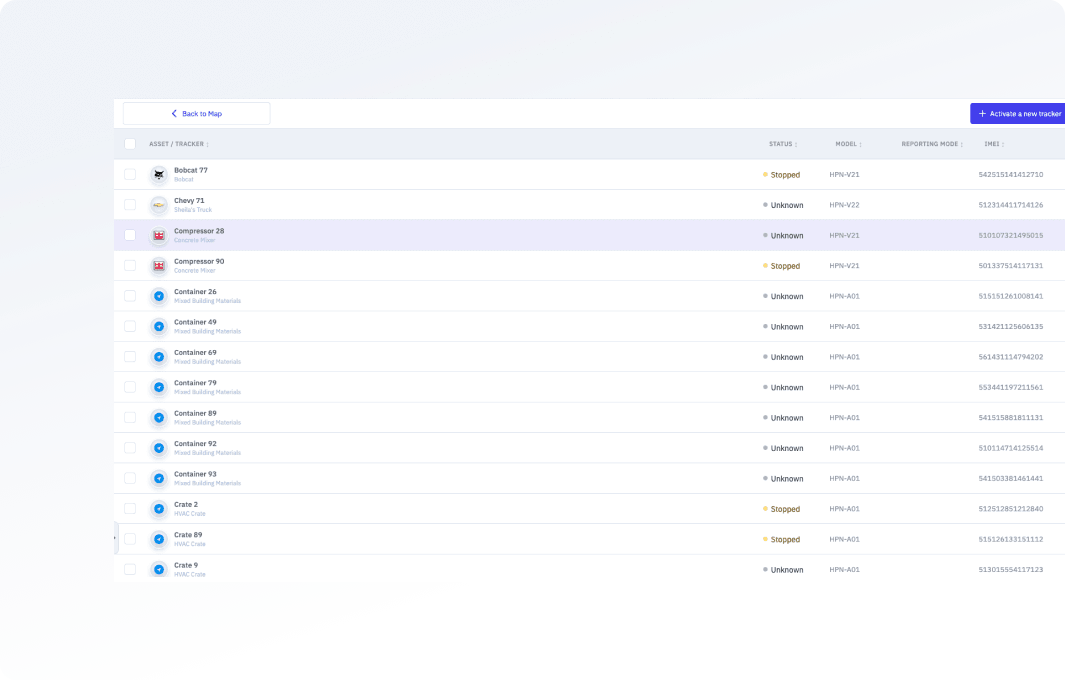
- Asset lifecycle management — track from onboarding to decommission with full activity log
- Full audit trail — every user action logged, exportable for compliance and insurance
- Enterprise security — 256-bit AES encryption, SOC 2-aligned, 99.9% uptime SLA
- Custom groups & tags — organize by job site, division, region, or custom taxonomy
HOW WE STACK UP
Hapn vs. the platforms you’re comparing
Side-by-side on the capabilities that matter for mixed fleets — versus vehicle-only platforms (Samsara, Verizon Connect, Motive) and equipment-only platforms (Tenna, HCSS).
| Feature | Hapn | Vehicle-only platforms | Equipment-only platforms |
|---|---|---|---|
| Vehicles + equipment + unpowered assets in one view | Vehicles only | Equipment focus | |
| OEM telematics (Kubota, Takeuchi, AEMP) | — | Varies by OEM | |
| AI dash cameras with in-platform clip review | Add-on | — | |
| AI fleet assistant (call / text / WhatsApp) | — | — | |
| Full REST API (API-first architecture) | Limited API | Limited API | |
| Pricing published on the website | — | — | |
| No per-seat / per-user charges | Varies by plan | Varies by plan |
Competitor capabilities based on publicly available information as of 2025. Specific feature availability may vary by plan level.
Common Questions About Hapn Features
Platform capabilities are included with your plan. Your price is based on how many assets you’re tracking and which hardware you need. Ghost Tracker is an optional additional device and service for compatible Hapn wired equipment trackers; ask to include it in your quote.
Yes — and most customers consolidate. If you’re using a vehicle-only platform like Samsara or Verizon Connect, Hapn replaces it and adds equipment telematics, unpowered asset tracking, OEM data integration, and AI dash cameras — all in one. No more juggling multiple logins and invoices. Our deployment team handles the migration.
Update intervals are configurable. You set them per device in the Hapn app, and the change is pushed to the tracker over the air — no need to physically touch the hardware. That lets you tune how often each asset reports to balance visibility against battery life, and change it later as your needs change.
Direct API integrations with Kubota and Takeuchi, plus any equipment compliant with the AEMP 2.0 telematics standard. OEM data — engine hours, fault codes, utilization — appears alongside GPS-tracked assets in the same dashboard.
No. Add as many users as your team needs — supervisors, dispatchers, field operators, executives. No per-seat charges, ever. Each user gets role-based access controls so you manage exactly what they can see and do.
Yes — the mobile app on iOS and Android is the full platform, not a stripped-down view. Plus, the AI Fleet Assistant works via phone call, text, or WhatsApp — no app or login required. Field supervisors can check asset locations by calling a number from their phone.
Most fleets are fully deployed within 2–4 weeks. Battery-powered trackers are self-install (attach and go). Wired devices and dash cameras are installed by our deployment team or your preferred installer. OEM data integrations are configured during onboarding.
Yes. The REST API gives you programmatic access to all fleet data — assets, locations, alerts, and reports. Common integrations include Sage, Viewpoint, Procore, and custom operations platforms. Our team can build custom data pipelines for specific needs — scoped and quoted during your onboarding consultation.
We handle the heavy lifting. Your dedicated deployment specialist manages the full migration — hardware swap-out coordination, historical data context, user onboarding and training, and OEM integration setup. Most teams run both platforms in parallel for 1–2 weeks during the transition before fully cutting over. There’s no downtime on fleet visibility.
