
Speed is one of the clearest signals of how your fleet is being driven — and one of the hardest to keep an eye on. Hapn’s new Speeding Report pulls every speeding event across your vehicles into one place, so you can see who’s speeding, where, how often, and by how much — without scrubbing through trip history asset by asset.
What Is the Speeding Report?
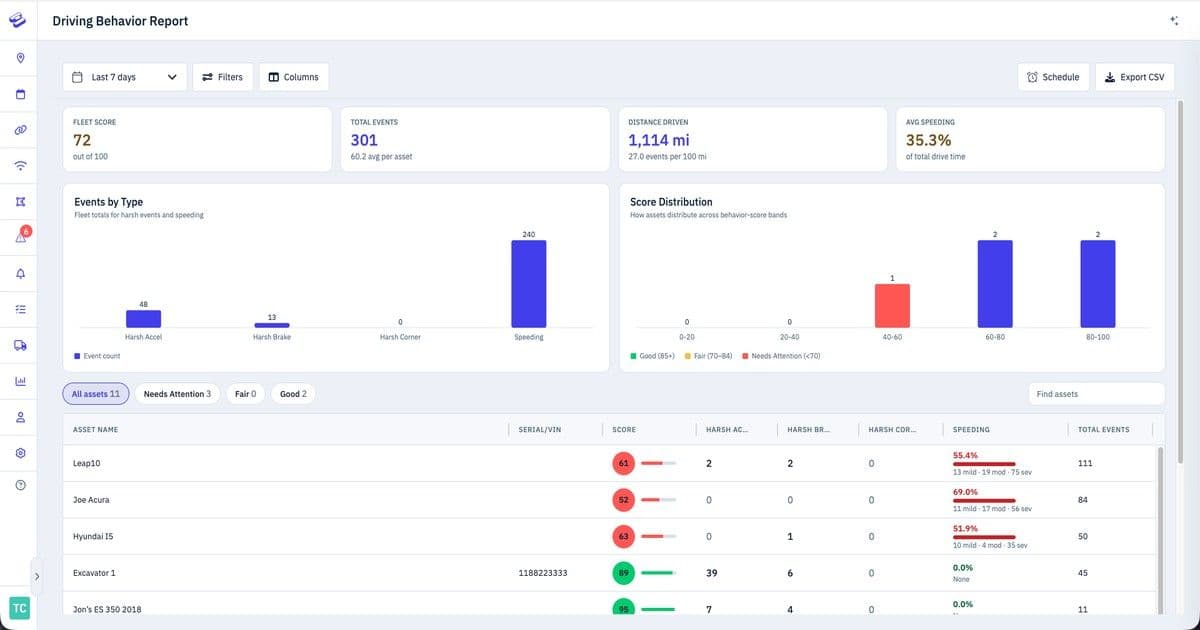
The Speeding Report compares each vehicle’s speed against the posted speed limit and surfaces every time a driver went over. Instead of a raw stream of pings, it organizes speeding into clear severity tiers and rolls everything up into fleet-wide totals — giving you an at-a-glance read on driving behavior across your whole operation.
At the top of the report, three summary cards give you the headline numbers for your selected time range: total speeding events across all assets, total time over the limit, and severe events — the instances where a vehicle was 11+ mph over.
Severity at a Glance
Not every speeding event deserves the same attention. The report groups events into three tiers so you can focus on what matters:
- Low (1–5 mph over) — minor overages, often just the flow of traffic.
- Medium (6–10 mph over) — worth watching, especially when it becomes a pattern.
- Severe (11+ mph over) — the events that carry real safety and liability risk.
Each vehicle row shows its breakdown across all three tiers, alongside its max speed, total events, time over the limit, and the location where speeding occurred — so a single glance tells you which assets and drivers need a conversation.
Filter, Schedule, and Export
The Speeding Report is built to fit into how your team already works:
- Flexible date ranges — review the last 7 days, or set a custom window to match a pay period, project, or incident review.
- Filters and columns — narrow the report to the assets you care about and choose which columns to show.
- Scheduled delivery — have the report arrive in your inbox automatically on a recurring basis, so safety reviews happen without anyone remembering to run them.
- CSV export — pull the data out for deeper analysis, driver scorecards, or sharing with stakeholders.
Why It Matters
Speeding is where safety, cost, and liability meet. A single severe event can mean a higher insurance claim, a damaged customer relationship, or a driver putting themselves and others at risk. For fleet and operations managers, the Speeding Report turns scattered telematics data into a clear coaching tool — spot the repeat offenders, recognize your safest drivers, and back up the conversation with hard numbers. For anyone responsible for compliance or risk, the report and its scheduled delivery create a consistent, documented record of driving behavior across the fleet.
Available Now on Vehicle Trackers
The Speeding Report is live now for Hapn’s vehicular trackers — our OBD trackers and GB 130 hardwired devices. These devices report the continuous speed and location data the report depends on, so the breakdowns you see reflect real driving against real speed limits. We’ll look at extending coverage to more device types over time.
To dig in, open Reports → Speeding in your Hapn account, pick your date range, and you’ll see your fleet’s speeding activity laid out instantly. As always, if you’ve got feedback on what would make the report more useful — new columns, alert triggers, driver-level views — we want to hear it.
— TJ
Explore Hapn on a live equipment fleet
Click around the real platform — a live mixed fleet with dummy data. No sales call, takes a few minutes.
Volume discounts • No 3-year contracts • Quote in ~24 hours


Get the latest news straight to your inbox.
Share Article
