← BlogArticles
Engine Hours vs. Odometer: Why Calendar-Based Maintenance Is Costing You 20–30%
TJ Chasteen
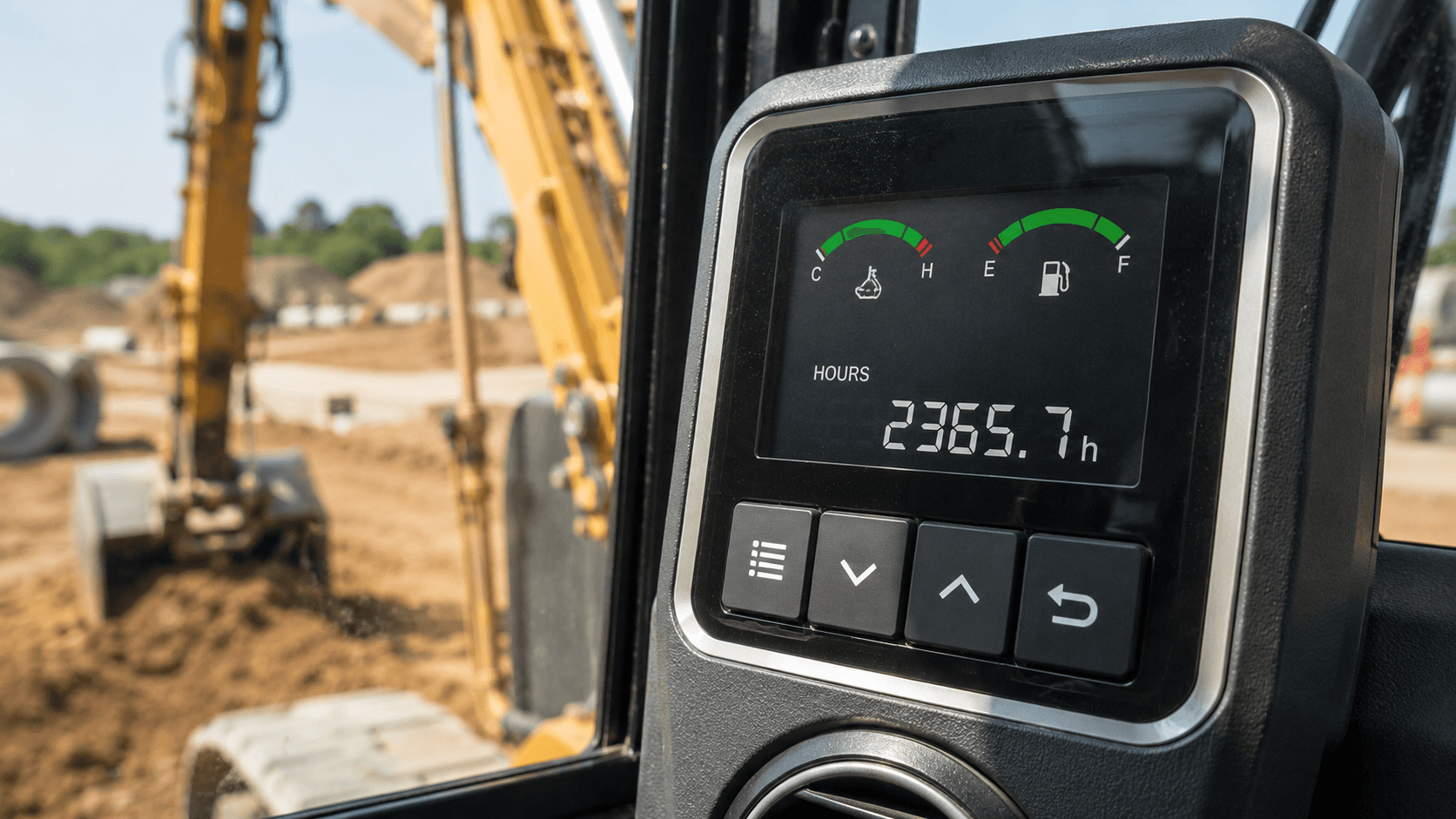
An excavator with 2,000 engine hours has experienced the wear of a truck with 100,000 miles — except most fleets are servicing it based on calendar dates that don't correlate to either. That's why maintenance misses happen, and it's the single biggest reason fleets running calendar-based scheduling see 20–30% more unplanned downtime than fleets running hour-based scheduling. The question of engine hours vs. odometer isn't a debate for heavy equipment — distance doesn't measure equipment wear, calendar days don't measure equipment wear, and only engine hours actually do.
This article is the operational companion to our strategic piece, Engine Hour-Based Maintenance: Stop Servicing on the Calendar. If you already understand why calendar scheduling fails, this is the playbook: how to capture engine hours accurately, what intervals to use by machine class, how to roll out hour-based maintenance across a mixed fleet, and where calendar intervals still have a legitimate role. If you run any combination of excavators, dozers, loaders, lifts, skid steers, or rental iron, the data on hours vs. calendar is settled. The question is how to operationalize it.
Last updated: May 2026
Key Takeaways
- Construction equipment spends 30–50% of its operating life idling — odometers measure distance, but engine hours measure wear.
- Fleets transitioning from calendar to engine-hour maintenance report 20–30% reductions in unplanned downtime within 90 days.
- Three engine-hour capture methods: mechanical meters (±5–15% drift), GPS with ignition sensing (accurate to within minutes), and CAN-bus/AEMP feeds (exact, OEM source of truth).
- OEM service intervals are specified in hours: oil at 250–500, undercarriage at 500, hydraulic flush at 2,000. None of those map cleanly to a calendar.
- Calendar intervals still make sense for annual safety inspections, regulatory compliance, seasonal storage, and time-degraded components like tires.
About Hapn
Hapn is a full-stack GPS fleet and asset tracking platform for midmarket and enterprise companies, providing equipment telematics, vehicle tracking, AI dash cameras, and battery-powered asset monitoring on a single dashboard, with transparent pricing.
Why Odometer Doesn't Work for Equipment
Service trucks, delivery vans, and over-the-road fleets all run on odometer-based maintenance. Change the oil every 5,000 miles. Replace tires every 50,000. Major service at 100,000. That logic works because for road vehicles, miles traveled is a reasonable proxy for engine runtime, brake wear, suspension stress, and fuel consumption.
Construction equipment doesn't work like that.
A bulldozer that moves 200 feet a day and idles for 8 hours logs nearly zero miles but heavy wear on its engine, hydraulics, and undercarriage. A boom lift that sits at a single job site for two weeks — raising and lowering a worker 40 times a day, never rolling more than 100 feet across the slab — registers practically no distance and significant runtime. A generator running continuously through a 14-hour shift puts the same wear on its engine as a pickup driving 600 miles, but its odometer (if it has one) reads zero.
Construction equipment spends 30–50% of its operating life idling in place. Excavators digging trenches. Wheel loaders feeding crushers. Skid steers maneuvering material. The diesel keeps running, the hydraulics keep cycling, the wear keeps accumulating — and the odometer keeps reading zero. This is the foundational reason engine hour based maintenance exists as a discipline separate from automotive service.
It's also why every OEM service manual for heavy equipment — Caterpillar, John Deere, Komatsu, Volvo, Hitachi, Kubota, Bobcat — specifies intervals in hours, not miles and not months. Cat tells you to change oil in a D6 dozer every 500 hours. Deere's intervals on an 850K dozer are hour-based. Komatsu's intervals are hour-based. The OEMs know exactly how their machines wear, and they tell you in hours.
Calendar intervals are an even worse approximation than odometer-based ones. A rental excavator on a high-priority interstate project might run 60 hours per week from May through October. The same excavator wintering in the yard might run 5 hours a month. "Service every six months" treats those two scenarios identically — and gets both of them wrong.
The result is one of two outcomes. Either the high-utilization machine misses its real service window by hundreds of hours, leading to premature wear, contaminated fluids, and the kind of failure that strands a $400K asset on a job site — or the low-utilization machine gets serviced on schedule whether it needs it or not, burning labor, parts, and oil it didn't consume. Both outcomes cost money. The first one costs a lot more, because emergency repairs run 3–4× the cost of planned ones and trigger schedule penalties downstream. For more on the financial side, see our excavator GPS tracking guide and the bulldozer tracking equivalent — both cover how utilization and maintenance data combine to protect uptime.
What "Engine Hours" Actually Measures
What are engine hours?
Engine hours are the cumulative count of hours a machine's engine has been actively running, measured from the time the engine starts to the time it stops. Unlike odometer readings, engine hours include idle time — which is the dominant operating mode for most heavy equipment.
Engine hours sound simple. The total time the engine has been running. But how you capture them matters enormously, and the three common methods produce wildly different accuracy. Picking the right capture method per machine is the foundational decision in any hour-based maintenance program.
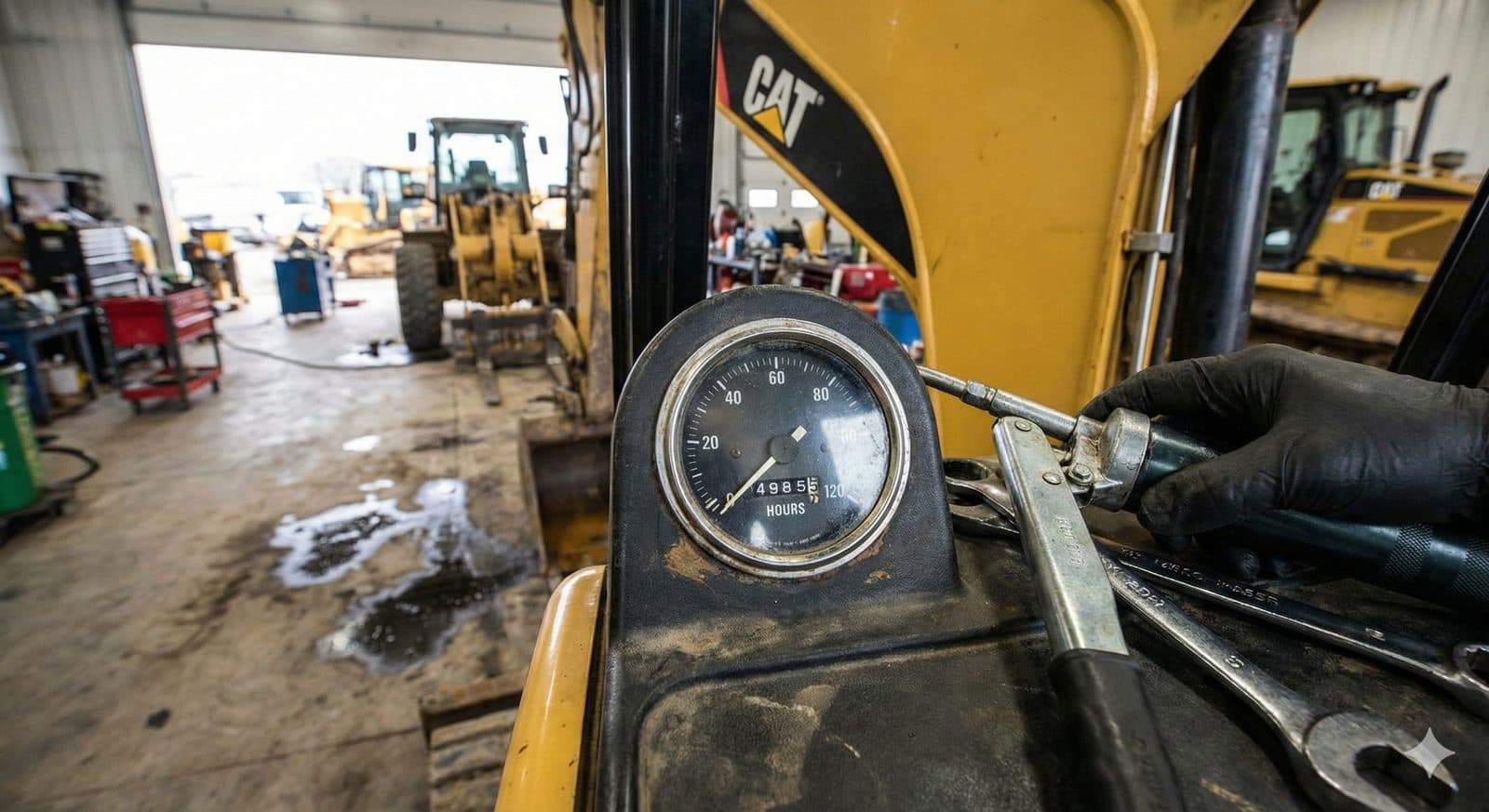
1. Mechanical Hour Meters (Built-In)
Most heavy equipment ships with a built-in hour meter — typically a small analog gauge on the dash. These meters tick whenever the engine is running, or, on some older models, whenever the key is in the "on" position even if the engine isn't started.
The limitations are significant. Mechanical meters drift over time, fail without warning, and can't be queried remotely. To get a reading, someone has to physically walk to the machine, find the gauge, and write down the number. Across a fleet of 50+ machines spread across multiple job sites, this is a multi-day, error-prone exercise. Operators forget. Numbers get transcribed wrong. Spreadsheets fall out of sync. And there's no audit trail when service intervals are missed.
Accuracy: ±5–15% drift over the life of the machine. Useful only as a coarse reference or a backup data source.
2. GPS Trackers with Ignition-Sensed Circuits
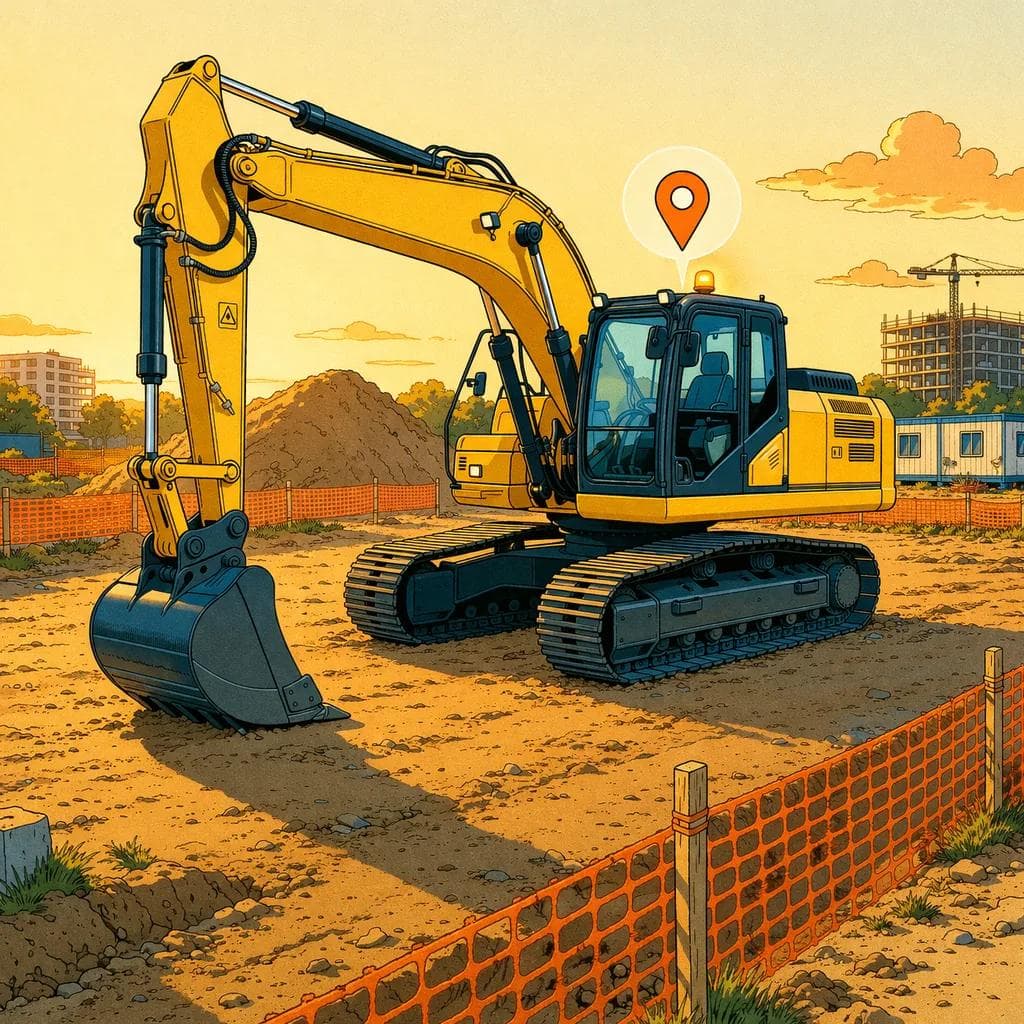
Aftermarket GPS units installed on equipment can detect when the ignition or main power circuit is active. When the machine is running, the tracker logs runtime. When it's off, it doesn't. The cumulative runtime rolls up to a dashboard in real time, and the data is available remotely without anyone walking to the machine.
This is the workhorse method for the majority of mixed fleets. It works on any machine — including pre-telematics legacy iron — because it doesn't depend on OEM data feeds. Hapn's equipment tracking hardware uses this approach for assets without CAN-bus access, which is the realistic situation for any fleet older than about ten years.
Accuracy: Within minutes of true engine runtime, in real time, across every asset.
3. CAN Bus / ECU Telematics
Newer equipment (roughly post-2014 for most OEMs) exposes engine data via a CAN bus or telematics gateway. The machine's own ECU reports engine hours, fuel burn, fault codes, regen events, and dozens of other parameters directly. AEMP-compliant data feeds — see our breakdown on unifying mixed fleet data through AEMP — make this OEM data available to third-party platforms like Hapn.
This is the most accurate method available. It's the machine's own source of truth.
Accuracy: Identical to the OEM dashboard. The ECU is the authoritative source.
Engine Hour Capture Methods: Accuracy Comparison
| Capture Method | Accuracy | Remote Access | Works on Legacy Iron |
|---|---|---|---|
| Mechanical hour meter | ±5–15% drift | No (manual read) | Yes |
| GPS w/ ignition sensing | Within minutes | Yes (real time) | Yes |
| CAN bus / AEMP feed | Exact (OEM source) | Yes (real time) | Newer iron only |
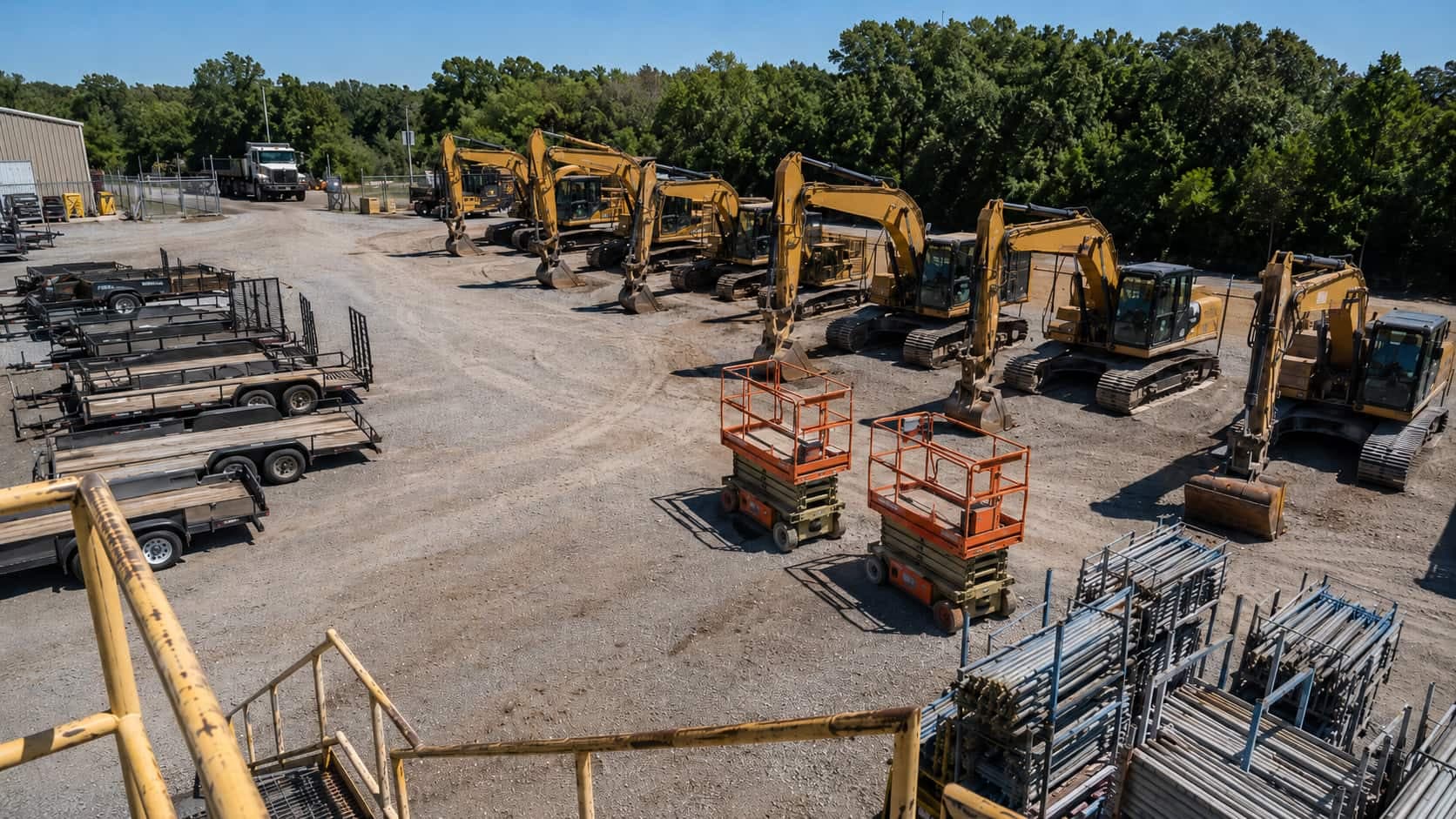
The practical answer for almost every mixed fleet is a blend. Use CAN-bus / AEMP feeds where they're available, and GPS-sourced runtime everywhere else. A unified platform consolidates both into a single dashboard so you're not switching between five OEM portals and a manual whiteboard.
How Hour-Based Maintenance Beats Calendar Maintenance
OEMs spec their service intervals in hours because hours match real-world wear. When you translate those specs into a maintenance program, you get a schedule that's both cheaper and more reliable than any calendar can produce. Here's what hour-based maintenance scheduling for construction equipment looks like in practice across the most common service categories.
Oil and Filter Changes: 250–500 Hours
Most OEMs specify 250 hours for severe-duty applications (dust, heat, continuous load) and 500 hours for normal operation. A calendar-based program defaults to "quarterly" — which is fine for a low-utilization machine running 200 hours a quarter, but catastrophically late for a high-utilization machine running 800 hours in the same period. Hour-based scheduling catches that high-runner before the oil degrades into a varnish that scores cylinders and shortens the engine life by years.
Undercarriage Inspection: 500 Hours
Tracked equipment — dozers, excavators, compact track loaders — wears at the undercarriage faster than anywhere else. Final drives, idlers, rollers, and track pads are the single largest maintenance cost over the life of the machine. OEM-specified inspection at 500-hour intervals catches uneven wear, loose pins, and seal failures before they propagate into a $20K final drive job. "Monthly" inspection on a calendar misses everything below the 250-hour line and is wasted effort on machines that haven't run.
Hydraulic Fluid Analysis: 1,000 Hours
Heavy equipment is fundamentally a hydraulic system with an engine attached. Hydraulic fluid analysis catches contamination, metal particulates, and water intrusion early enough to drain and flush before the pump goes. 1,000-hour intervals align with how hydraulic systems actually degrade. "Annually" ignores the fact that a rental excavator can hit 1,500 hours in five months on a heavy project.
Hydraulic Flush and Refill: 2,000 Hours
Major hydraulic service — flush, replace fluid, replace filters — is a 2,000-hour interval on most heavy equipment. That's a 6–18 month real-world window depending on utilization. A calendar interval ("every two years") will under-service half your fleet and over-service the other half. The cost difference between hour-based and calendar-based scheduling, multiplied across a 50-asset fleet, runs into six figures annually.
Major Service: 5,000+ Hours
The big rebuilds — top-end engine work, hydraulic pump replacements, swing bearing service on excavators — hit at multi-thousand-hour intervals. These are the services where the cost of being wrong is highest. Hitting them on hours, not calendar, means you're not pulling a machine off a profitable job to chase a date that doesn't reflect actual wear, and you're not running a worn-out asset until it grenades.
The downstream effect on downtime is significant. Hapn customers transitioning from calendar-based to preventive maintenance based on engine hours consistently report 20–30% reductions in unplanned downtime within the first 90 days. That number doesn't come from new technology — it comes from servicing machines when they actually need it, not when an arbitrary date says they do.
That 20–30% lift compounds across the P&L. Less emergency labor at overtime rates. Fewer rented replacements for sidelined assets. Less revenue loss on missed jobsite commitments. Meaningfully higher resale value when verified hour-based service logs accompany the machine to auction. None of that is theoretical — it shows up on the maintenance budget line, the rental income line, and the asset sale line.
See Engine Hours Across Every Machine in Your Fleet
One dashboard for Cat, Deere, JLG, Genie, and legacy iron — CAN bus where it exists, GPS-sourced everywhere else. Transparent pricing.
See Equipment Tracking in Action →Implementing Hour-Based Maintenance
What is a CMMS?
A CMMS (computerized maintenance management system) is the software that stores service histories, schedules upcoming work, and tracks parts inventory. Hapn integrates with most major CMMS platforms via API or CSV export, or replaces them outright via built-in maintenance reporting for fleets that don't already have one.
Moving a fleet from calendar to hour-based scheduling is not a one-week project, but it's not a one-year project either. A reasonable implementation timeline is 30–90 days for most fleets under 200 assets. Here's the five-step playbook.
1. Audit the Fleet and Pick Hour Sources
For every asset, decide where engine hours will come from. Newer equipment with CAN-bus or AEMP support — pull from the OEM feed. Legacy or non-AEMP iron — install GPS hardware with ignition sensing. Don't try to mix data sources for a single machine; pick one authoritative source per asset and stick with it. The audit itself is the highest-leverage part of the rollout because it surfaces every "we lost track of this machine" gap in your current process.
2. Define Service Intervals by Machine Class
Don't build a separate maintenance schedule for every serial number. Group equipment into classes — dozers, excavators 30+ ton, excavators under 30 ton, wheel loaders, lifts, compact equipment — and define standard intervals per class based on OEM recommendations. This makes the system maintainable as fleet composition changes and prevents the proliferation of one-off rules that nobody can audit.
3. Configure Alerts at 80% of Each Interval
The trigger isn't "machine hit 500 hours." The trigger is "machine hit 400 hours — schedule the service before it hits 500." Alerting at 80% gives your shop enough lead time to order parts, schedule the right technician, and pull the machine when it's between jobs, not when it's in the middle of a pour. This is the single most operationally important configuration choice in the entire system.
4. Integrate with the Maintenance System
If you run a CMMS, push engine hour readings into it on a daily basis so service orders auto-generate. If you don't run one, use Hapn's built-in maintenance reporting and alert routing. The principle is the same either way: nobody should be manually transcribing hour meter readings into a spreadsheet. Manual data entry is where hour-based programs quietly degrade back into calendar-based ones.
5. Audit at 90 Days
Pull a planned-vs-actual report. Which services hit on time? Which got pushed? Which machines are running hot and need their intervals shortened? Which are running so cold the intervals could be relaxed? Tune the system. Maintenance scheduling is not "set it and forget it" — it's a continuous calibration against real fleet utilization. Most fleets find that the first 90-day audit identifies two or three machine classes where the OEM interval is more conservative than necessary for the actual duty cycle, and one or two classes where it isn't conservative enough.
When Calendar Intervals Still Make Sense
Hour-based scheduling is the right default. But it's not a religion, and there are categories of service work where calendar intervals are correct.
Annual safety inspections. Crane inspections, lift inspections, and DOT-style annual checks are calendar-driven by regulation. The clock starts the day of last inspection, regardless of hours.
Seasonal storage prep. If a machine winters in the yard for four months, you need a calendar-driven winterization — fluid stabilizer, battery maintenance, weatherproofing — regardless of hours.
Regulatory compliance. EPA Tier 4 regen cycles, DEF system service, and emissions-related inspections often have time-based triggers in addition to hour-based ones. Miss the calendar trigger and you have a compliance problem, not just a maintenance problem.
Time-degraded components. Rubber, hoses, and seals age chronologically. A tire with 200 hours on it but five years of UV exposure is more dangerous than a 500-hour tire that's two years old. Tire age, hose age, and seal age are calendar-driven for good physical reasons.
The right model is parallel: hour-based intervals for the OEM-spec service work, calendar-based intervals for the regulatory and time-degraded items. A good maintenance platform handles both. The mistake isn't using calendar at all — it's using calendar for everything. That's where the 20–30% downtime hit comes from.
Written by the Hapn Team
Hapn provides GPS fleet and asset tracking for 50,000+ customers across construction, equipment rental, and 50+ other industries. Our platform processes over 4 billion messages annually with 99.9% uptime.
FAQ: Engine Hours vs. Odometer Maintenance
What's the difference between engine hours and odometer readings?
Engine hours measure how long a machine's engine has been running — including idle time. Odometer readings measure distance traveled. For road vehicles, the two correlate closely. For construction equipment, they don't: a bulldozer can log 1,000 hours of runtime and only a few miles of distance. Because heavy equipment spends 30–50% of its operating life idling in place, engine hours are the only metric that reflects actual wear on the engine, hydraulics, and undercarriage. Every OEM service manual for heavy equipment specifies intervals in hours, not miles.
How accurate are GPS-sourced engine hours?
GPS trackers with ignition-sensed circuits — like the hardware Hapn installs on equipment — are accurate to within minutes of true engine runtime. They detect when the ignition or main power circuit is active and log cumulative runtime in real time. This is significantly more accurate than mechanical hour meters (which drift 5–15% over the life of the machine) and is the practical standard for any equipment that doesn't expose CAN-bus data. For newer OEM-equipped machines, CAN-bus or AEMP feeds are even more accurate because they pull directly from the machine's ECU.
How often should I service my excavator based on engine hours?
Most OEMs specify oil and filter changes every 250 hours (severe duty) to 500 hours (normal duty), undercarriage inspections every 500 hours, hydraulic fluid analysis every 1,000 hours, hydraulic flush and refill every 2,000 hours, and major service intervals starting at 5,000+ hours. Always check your specific OEM service manual for the exact intervals — these vary by model, duty cycle, and operating environment. For a deeper look at excavator-specific service and tracking, see our excavator GPS tracking guide.
Does Hapn integrate engine hours with maintenance software?
Yes. Hapn pushes engine hour readings into most major CMMS (computerized maintenance management system) platforms via API or CSV export so service orders auto-generate when machines hit configured thresholds. For fleets that don't run a separate CMMS, Hapn includes built-in maintenance reporting and alert routing so you can manage the entire schedule inside one platform. Either way, the goal is to eliminate manual transcription of hour meter readings into spreadsheets — which is where most hour-based programs quietly degrade back into calendar-based ones.
Can I track engine hours on equipment without an hour meter?
Yes. Aftermarket GPS hardware with ignition sensing reads engine runtime directly from the machine's power or ignition circuit — no built-in hour meter required. This is the standard approach for legacy "dumb" iron that pre-dates OEM telematics. The Hapn dashboard treats GPS-sourced and CAN-bus-sourced engine hours uniformly, so an older skid steer and a brand-new excavator both show accurate runtime in the same view. This is what makes hour-based maintenance feasible for mixed fleets where some machines have OEM data and others don't.
Stop Servicing on the Calendar. Start Servicing on Hours.
Hapn captures engine hours across every machine in your fleet — CAN-bus, AEMP, and GPS-sourced — and routes maintenance alerts before you hit the threshold. Transparent pricing.
Get Pricing →Explore Hapn on a live equipment fleet
Click around the real platform — a live mixed fleet with dummy data. No sales call, takes a few minutes.
Get the latest news straight to your inbox.
Share Article
