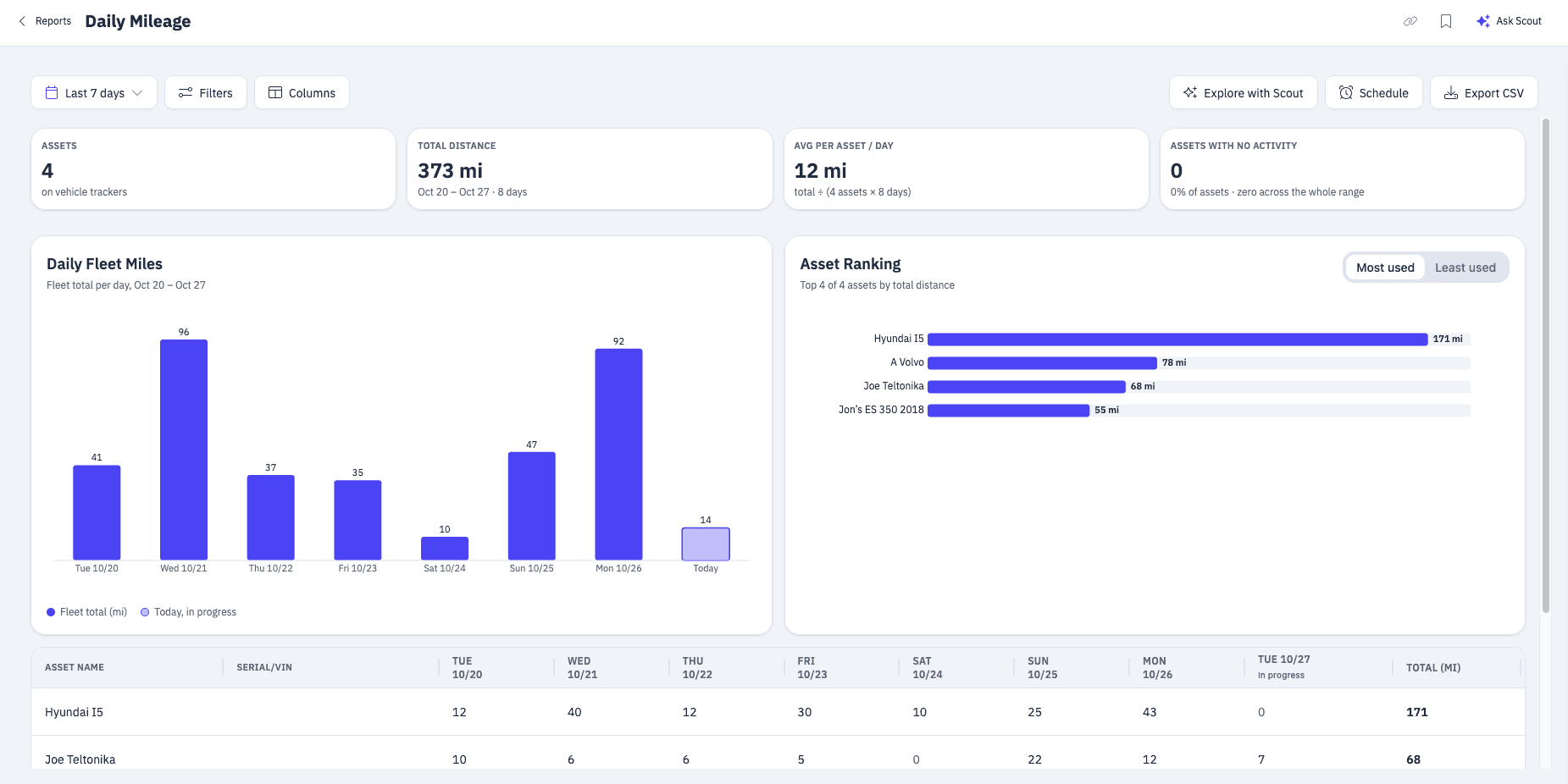
“How many miles did that vehicle put on this week?” It’s one of the questions we hear most from Hapn customers, and until now answering it took more work than it should have. You could pull a report, export it, and piece the days back together in a spreadsheet. Customers kept asking us for something simpler: just show me the mileage. So we built it.
The new Daily Mileage report shows how far every vehicle on your account drove, day by day, in one place.
What Daily Mileage Shows
Pick a date range and Daily Mileage lists each vehicle with the miles it drove every day, plus its total for the range. Four quick numbers across the top sum up the period:
- Assets: how many vehicles reported during the range.
- Total distance: miles driven across all of them.
- Average per asset per day: a quick read on typical daily use.
- Assets with no activity: vehicles that didn’t move at all, so you can spot what sat parked.
Below that, a daily chart shows total miles for each day, and a ranking shows your ten most-used (or least-used) vehicles. The grid underneath has a row for every vehicle and a column for every day, with totals along the bottom. If your range includes today, today’s column is marked as in progress, so a day that isn’t over yet doesn’t look like a slow one.
Useful for Anyone with a Vehicle Tracker
If a Hapn tracker is in a vehicle, Daily Mileage has something for you:
- Fleets: see which trucks are being run hard and which sat in the yard, and plan maintenance around the miles each one actually drove.
- Small businesses: keep a simple daily record of how far each work vehicle went, and check that usage lines up with the jobs on the calendar.
- Personal vehicles: see how much the family car is being driven, or how many miles a new driver is putting on, without doing the math yourself.
Daily Mileage works with Hapn’s vehicle trackers, the hardwired and OBD trackers that report from your vehicle as it drives. If your account uses metric units, you’ll see it as Daily Kilometers, with every number in km.
Export It or Get It on a Schedule
Need the numbers somewhere else? Export the report to CSV in one click. Or set it on a schedule and the report arrives in your inbox automatically, so your weekly mileage check takes care of itself. You can also save a view with your favorite date range and filters to come back to anytime.
Get Started Today
Daily Mileage is live now. Find it under Reports in the Asset Reports section, marked New, or open the report directly. Have an idea for what we should build next? We’d love to hear it — get in touch →
Explore Hapn on a live equipment fleet
Click around the real platform — a live mixed fleet with dummy data. No sales call, takes a few minutes.
Volume discounts • No 3-year contracts • Quote in ~24 hours



Get the latest news straight to your inbox.
Share Article
